> ## Documentation Index
> Fetch the complete documentation index at: https://docs.open-politics.org/llms.txt
> Use this file to discover all available pages before exploring further.
# Curating Annotations
> Turn analysis results into persistent document metadata
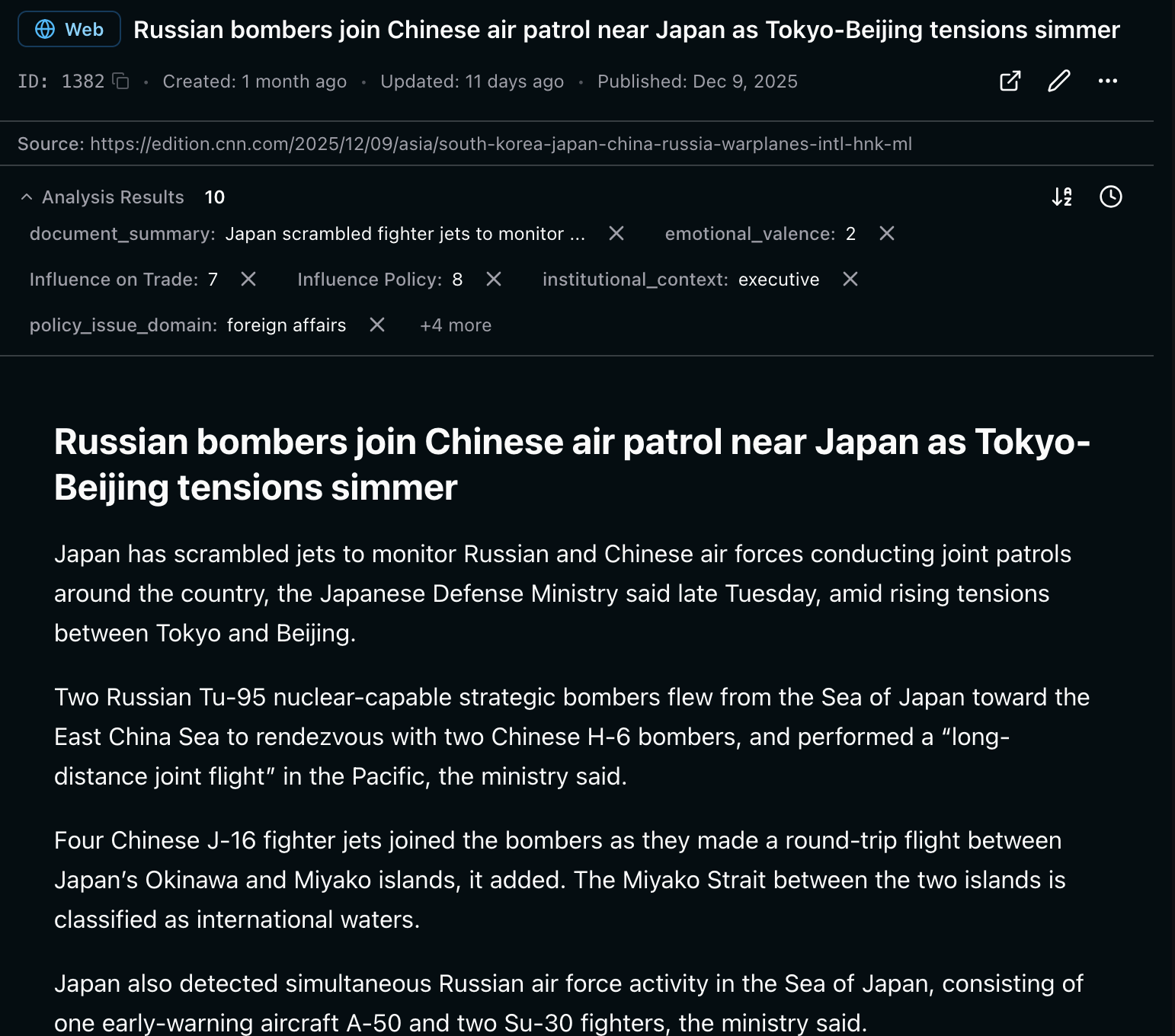
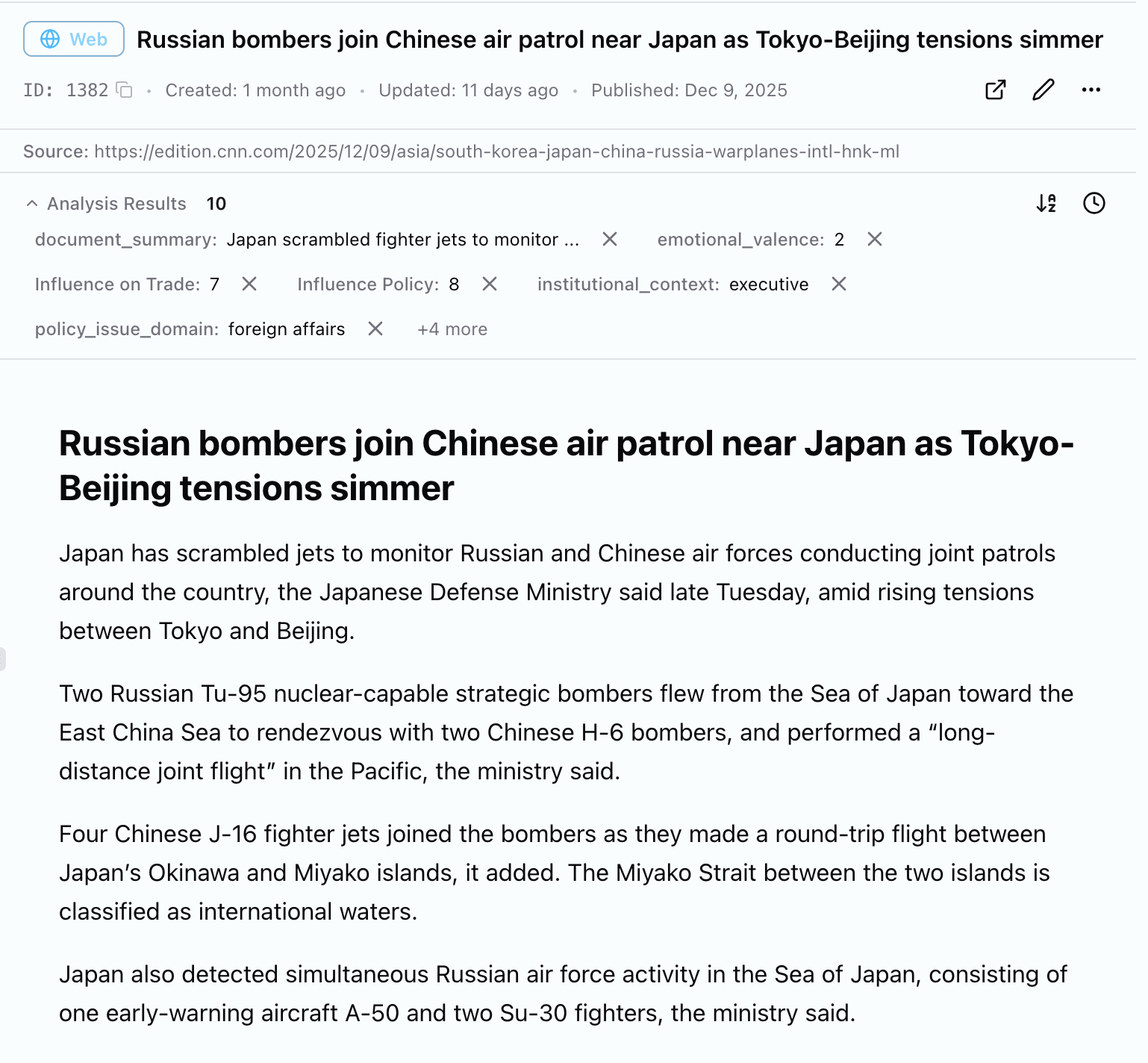
Annotations are scoped to a run. \
Curating them makes them permanent qualities of our data.
Curated results become **persistent fragments** - metadata pinned to the asset. Subsequent runs see them as context.
 * Temporary analysis results
* Tied to a specific schema run
* Can be deleted or re-run
* Not visible to subsequent analysis
* Permanent asset metadata
* Survives schema changes
* Included in future analysis context
* Builds cumulative knowledge
## How to
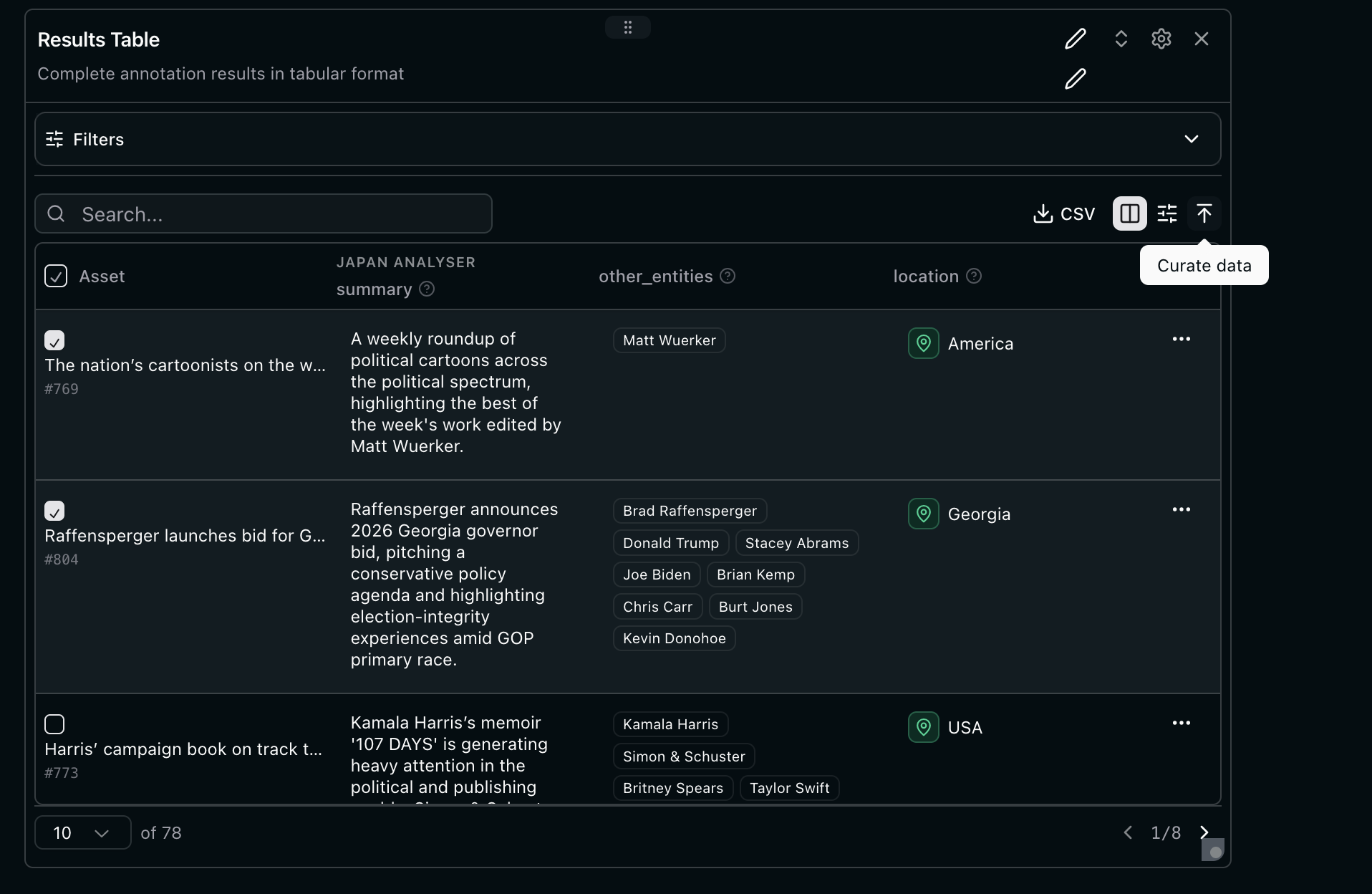
From the results table of a run dashboard:
1. **Review the extraction** - Check it's accurate and useful, set filters
2. **Click "Curate"** - Converts annotations to persistent fragments
3. **Confirm** - Fragment is now attached to the asset (see above)
* Temporary analysis results
* Tied to a specific schema run
* Can be deleted or re-run
* Not visible to subsequent analysis
* Permanent asset metadata
* Survives schema changes
* Included in future analysis context
* Builds cumulative knowledge
## How to
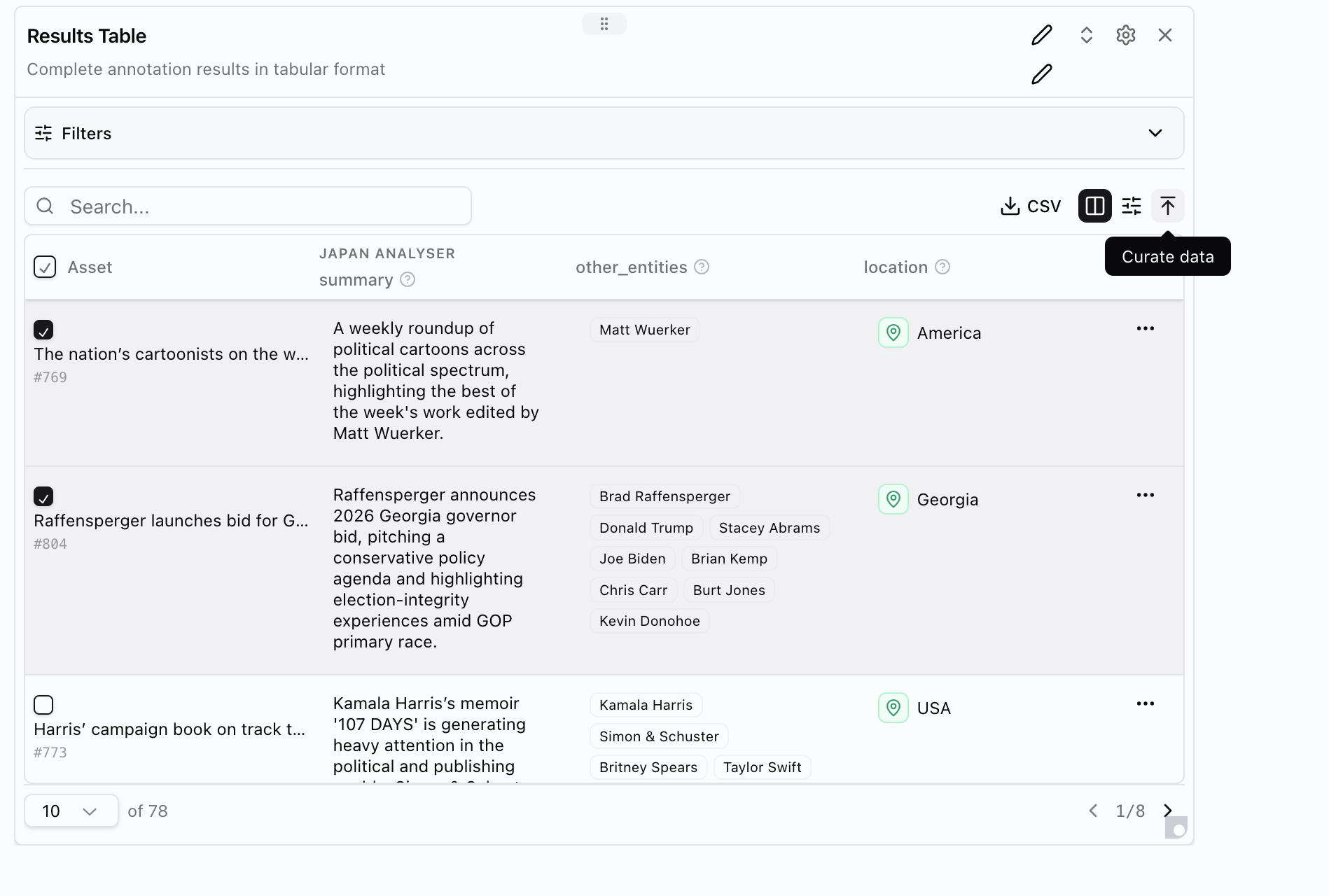
From the results table of a run dashboard:
1. **Review the extraction** - Check it's accurate and useful, set filters
2. **Click "Curate"** - Converts annotations to persistent fragments
3. **Confirm** - Fragment is now attached to the asset (see above)
 ***
## Related
Apply schemas to your documents
Define what to extract from documents
Upload and organise documents
Visualise results with charts and tables
***
## Related
Apply schemas to your documents
Define what to extract from documents
Upload and organise documents
Visualise results with charts and tables