

Before you start: make sure your providers for the foundation services are properly installed and configured. See App Setup for more information.
Infospaces
Think of an infospace as a project workspace. Each one keeps your data separate from other projects and has its own database and vector index to help you find relevant content.Assets
Your data. PDFs, CSVs, articles, web feeds - anything you want to analyse. Composable: a document breaks into pages, a spreadsheet into rows. Bundles group assets for organisation and batch analysis.

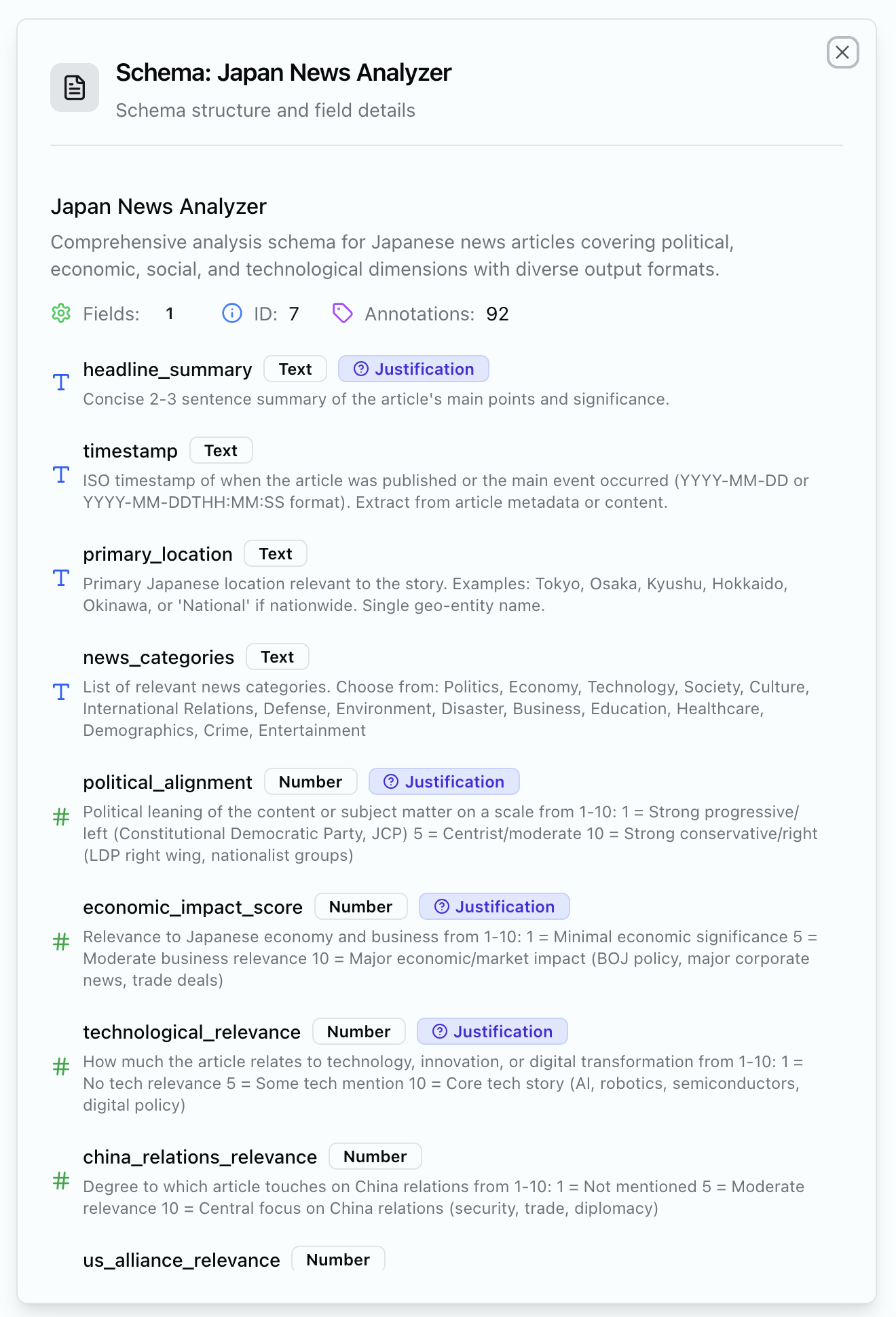
Schemas
Your lens and instructions for the AI. Natural language tasks with strict output definitions. Get structured, comparable data across all your documents.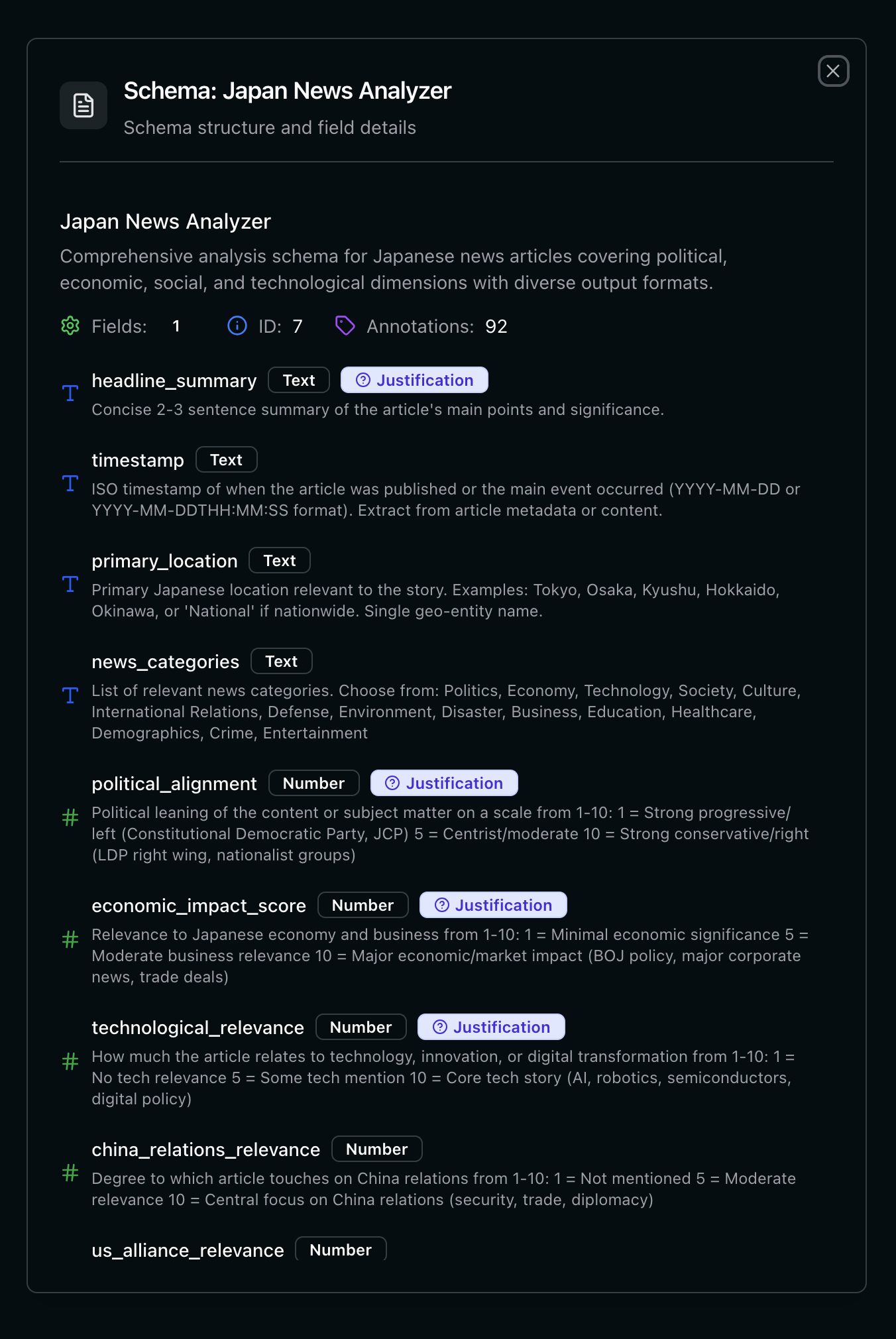
Analysis
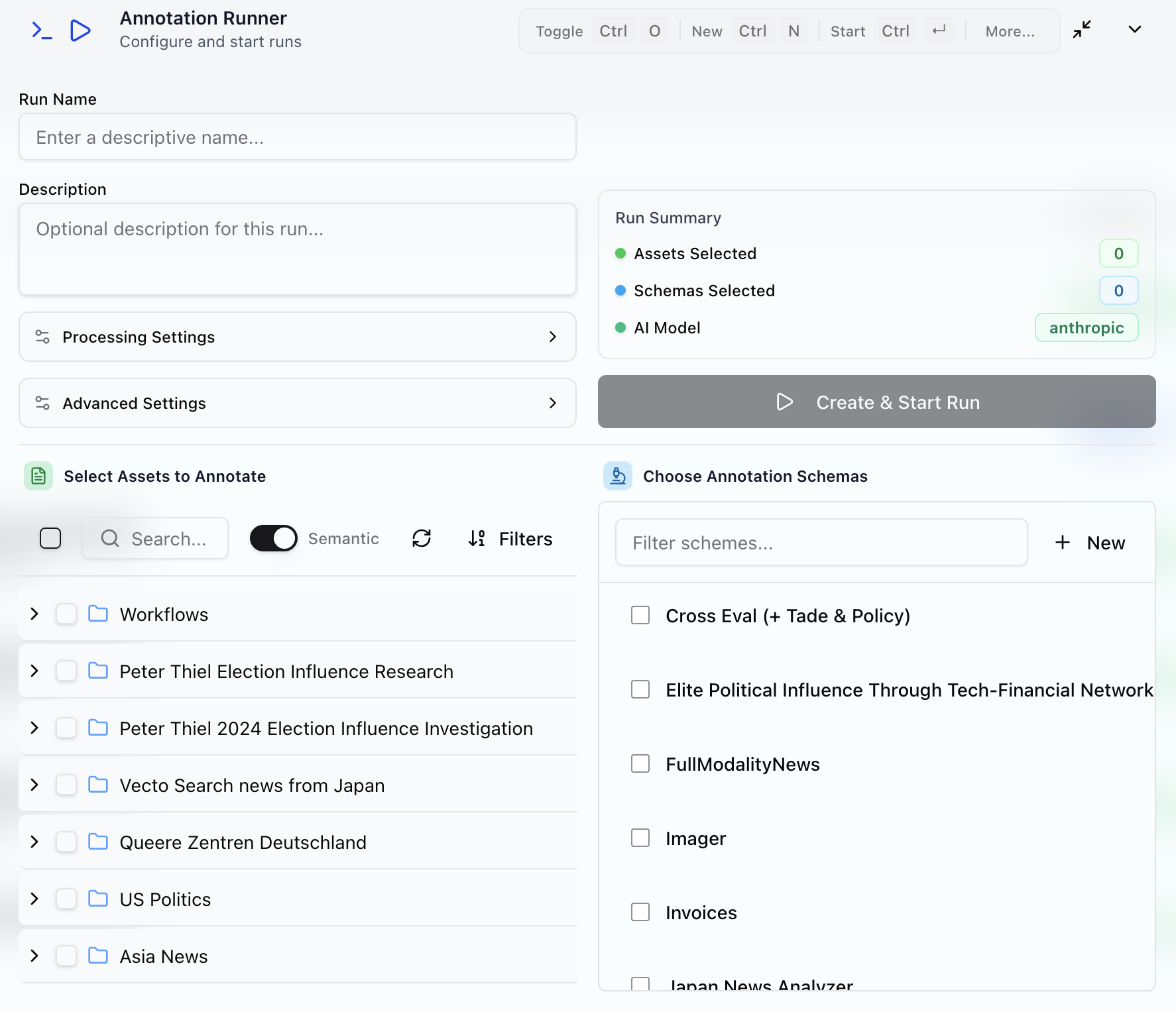
This is where it all comes together. With the building blocks above you are set to work through your data by configuring an analysis.1. Configure an analysis run
What questions do you want to answer? What data do you have?
Also set up parametrs like parallelisation and if you want justifications for fields.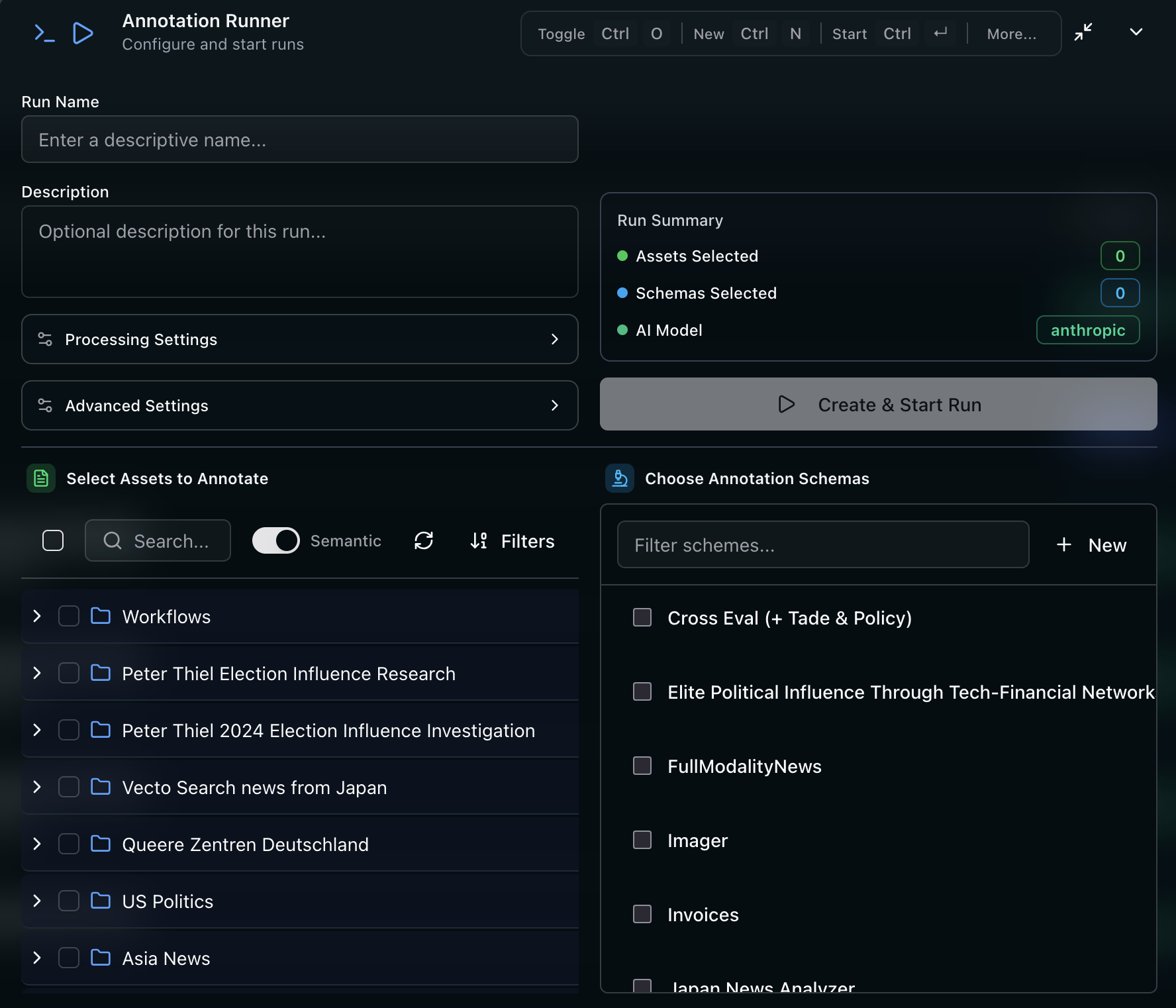
2. Explore, Share and Work with the run's Dashboard
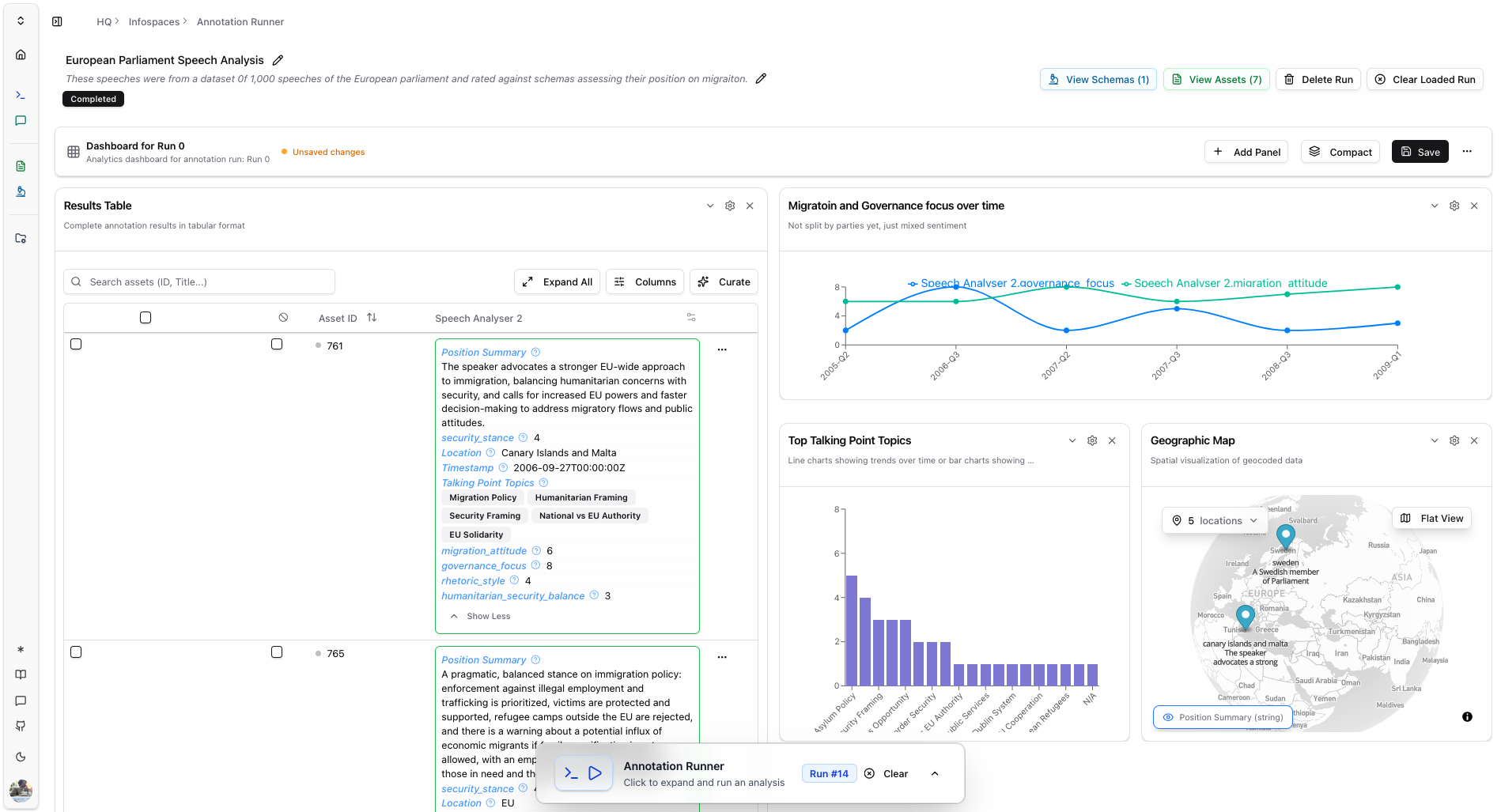
Your results. Tables, charts, maps. Export or share.
Every run produces structured data. Or as we call them: annotations. Filter, visualise and drill down into your findings.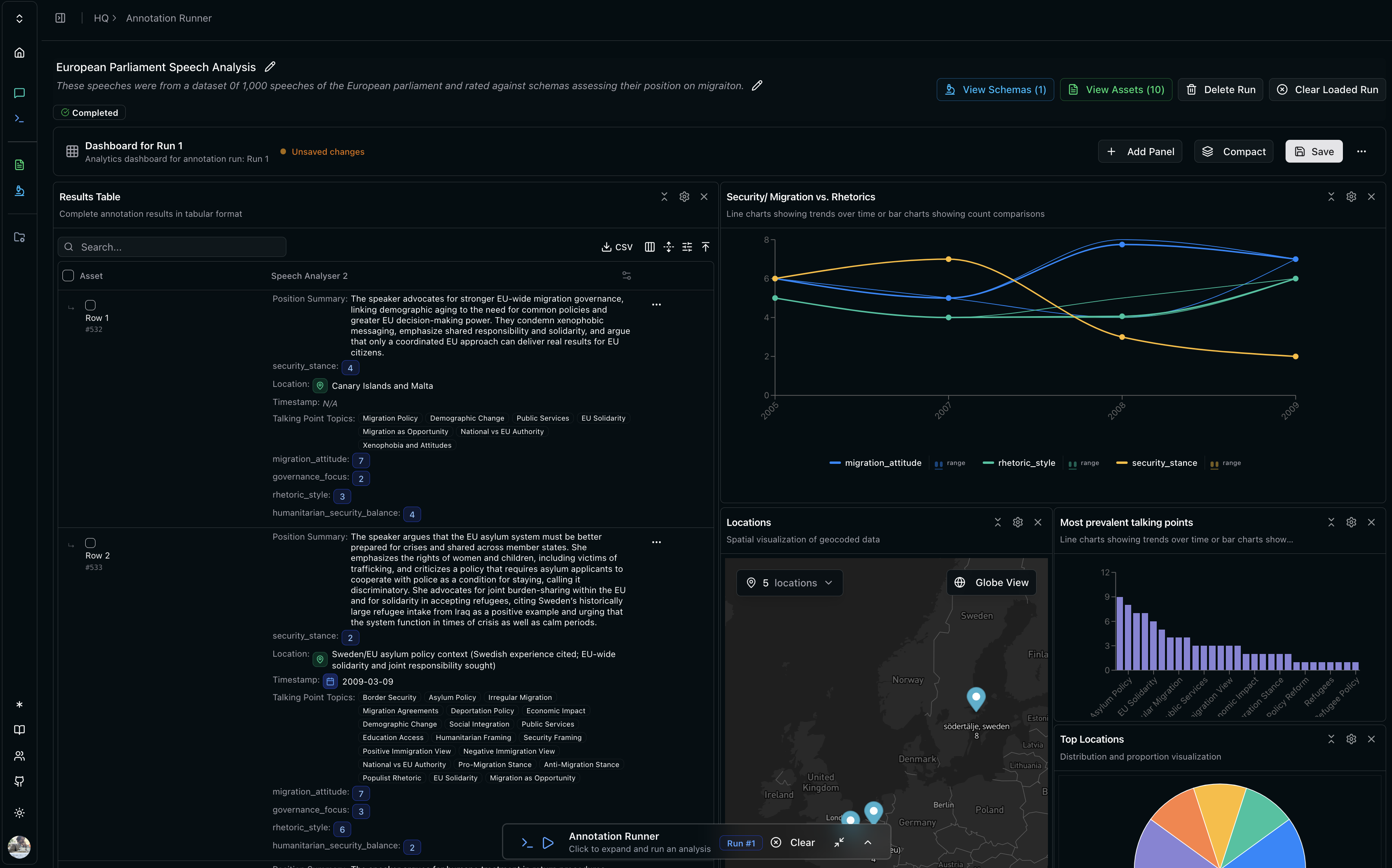
Chat & Tools
Chat
Your data management interface. Query, build schemas, run analysis, explore, find similar items. Deduplicate and synthesise - through dialogue.| More information on chat | Advanced Chatting |